Order printer: the guest's order prints on its own in the department
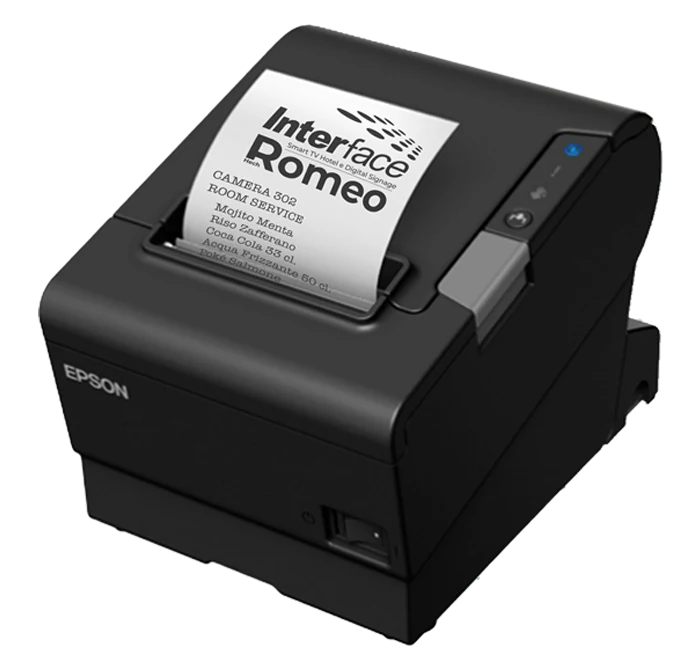
The guest orders from Hech Romeo and the printer starts in the department. The order comes out in real time, without having to keep a tablet or computer switched on at the calendar.
How the order reaches the department
The guest orders
From the web app, from the cart, the guest chooses what they want: a drink at the beach, a dish in the room, an item from room service.
The department receives the notification
Each service is assigned to a department: the beach bar, the kitchen, the restaurant. The department receives the notification of the request.
The printer prints
The order starts printing automatically on the printers associated with the department. The staff prepares it and moves on to serving.
Why you need an order printer
Integrated with the web app
The printer receives the orders sent from the web app, with no further configuration. Orders print in real time.
Fewer errors
With direct printing you eliminate communication errors and delays: every order arrives in writing, without interpretation or anything forgotten.
Easy to use
It's ready to use in a few minutes and can be used right away, even without much familiarity with technology.
More time for service
Ideal for restaurants, bars, hotels and anyone who has to handle orders quickly: staff focus on service.
Features: immediate and silent printing, compact and modern design, compatible with various types of thermal paper.
One department, one or more printers
In the Romeo cloud you create a department and associate it with one or more printers. For the department you specify:
- language;
- name, for example "Beach Bar";
- email and phone number;
- printer;
- notifications enabled;
- printer enabled.
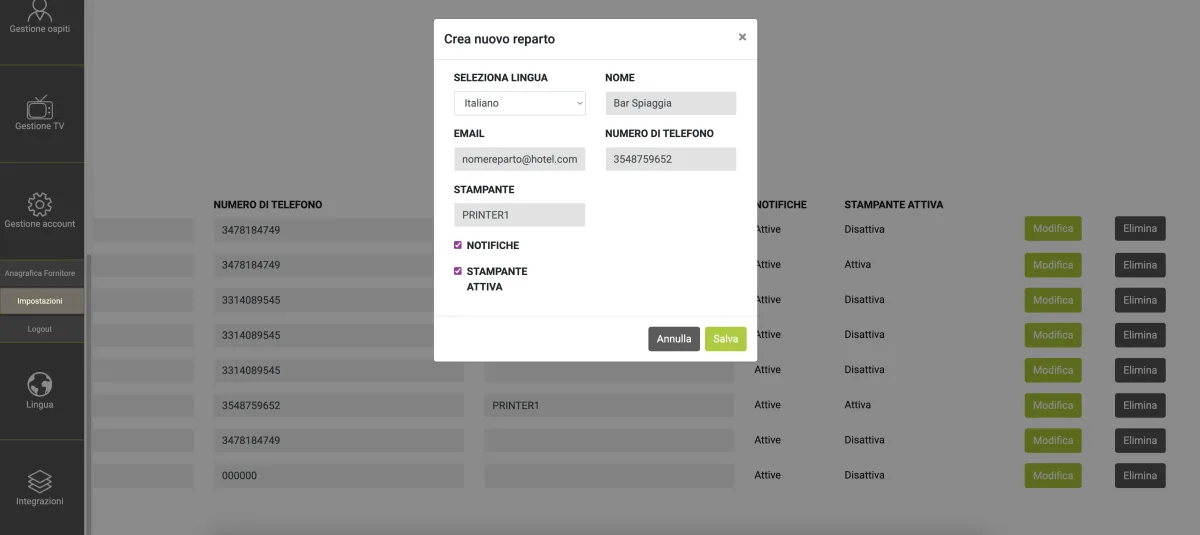
This way every order comes out where it's needed, for example at the beach bar.
Where it's used
Room service and delivery
The guest orders from the web app, or from the TV with Romeo Full, and the order arrives in the kitchen or at the bar.
Beach bar
In the calendar, requests can show the beach umbrella number and the room number. The printers associated with the "Beach Bar" department print the orders.
Restaurants, bars and other businesses
Ideal for restaurants, bars, hotels and all businesses that handle orders quickly.
Part of Hech Romeo
You can choose feature packages on their own or together, with the same management from the Romeo cloud. Order printing and QR code require the web app, available on its own or included in Romeo Full.
In-room TV
Guests also order from the TV with Romeo Full.
Web and web app
The cart and the bookings the order starts from.
Displays and kiosks
The same menus on the displays in the common areas.
Touch displays
Kiosks that guests browse with a finger.
QR code
A QR code on the table or on the beach umbrella opens the menu to order from.
What you need to activate it
Order printing is a feature package that requires the Hech Romeo web app, included in Romeo Full or available on its own. Guests send orders from the web app; with Full they can also order from the TV. For printing you need a print server connected to the department printers. Activation by quote.
Compare the Romeo plans. See the printer models.
Frequently asked questions
How does the Hech Romeo order printer work?
With Hech Romeo the guest orders from the web app, the department receives the request and the printer associated with the department prints the order automatically.
Do I need a tablet or computer that's always on?
Hech Romeo's automatic order printing means you don't have to keep a tablet or PC on at the calendar screen.
Can I have more than one printer?
With the Hech Romeo Order printing package you associate one or more printers with the departments and add to the print server the ones you need.
Can I use order printing without Romeo on the TVs?
The Order printing package requires the Hech Romeo web app: it can be the one included in Romeo Full or the web app purchased on its own. The orders to print come from the web app; with Full also from the TV.
What kind of printer is it?
For Hech Romeo orders you use a thermal printer, silent and compact, compatible with various types of thermal paper.
How much does it cost?
Activation of the Order printing package is by quote: request one from the contact form.
See the printer in action
Ask for a demo of the web app and the printer at work.